Enhanced Educational Edition
Parametric Literacy Tool
An interactive browser tool for learning how image edits become explicit parameter values and how those values can support clearer AI prompting.
Core workflowRuns locally in the browser
Image dataDemo image or user upload
DiagnosticsHistogram, clipping, metrics
AI TutorOptional external API use
Use the built-in demo image for quick testing, or upload a non-sensitive image. The optional AI analysis
is only invoked when the user explicitly requests it.
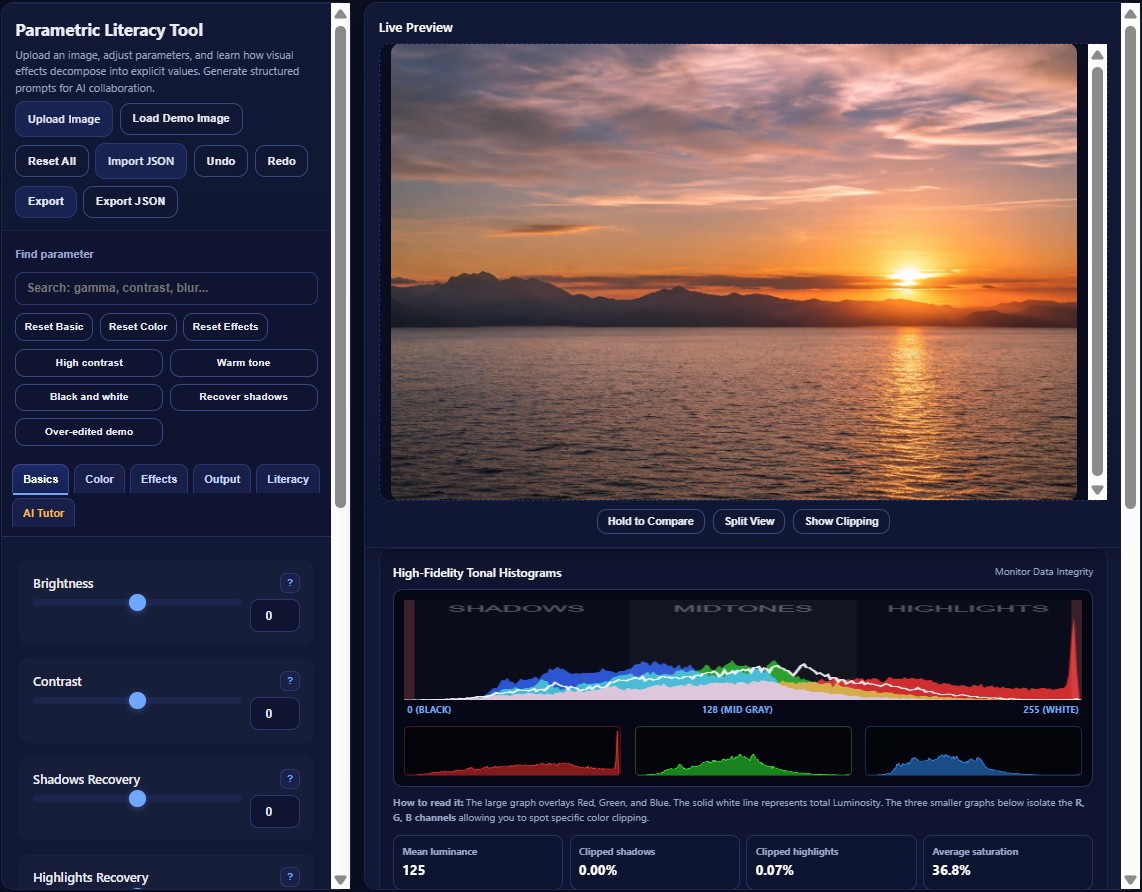
Screenshot preview of the interface. Use the Launch Application button to open the working tool in a new tab.
Learn Parameters
Brightness, contrast, gamma, levels, saturation, color balance, blur, sharpening, and effects are exposed as explicit values.
Inspect Image Data
Histograms, clipping warnings, metrics, before/after split view, and zoom inspection help users connect edits with visible outcomes.
Support AI Prompting
The tool translates parameter choices into structured prompts and optional AI Tutor feedback for image-editing literacy.